
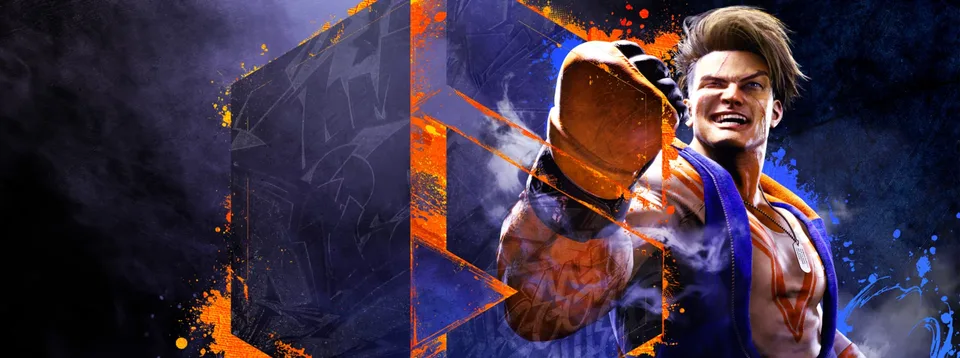
The Street Fighter series has always been synonymous with precision. Every frame, every motion, and every millisecond of input matters when you are trying to land that perfect Critical Art or counter an opponent's drive impact. Transitioning from the arcade or console experience to PC can be a daunting task if your hardware isn't up to snuff, which is why understanding the Street Fighter 6 system requirements is the first step toward competitive dominance.
Powered by Capcom’s proprietary RE ENGINE, Street Fighter 6 delivers a visual feast that scales across a wide variety of hardware configurations. However, the game is not just about raw graphical fidelity; it is about performance consistency. Whether you are traversing the sprawling streets of the World Tour mode or climbing the ranks in the Battle Hub, your PC needs to maintain a stable framerate to ensure your inputs are registered accurately. In this guide, we will break down exactly what you need to run the game effectively and how to optimize your settings for the best possible experience.
Understanding the Official Street Fighter 6 System Requirements
Before you start tweaking graphical sliders, you must establish a baseline. The official Street Fighter 6 system requirements provided by Capcom offer a clear roadmap of what your PC needs to handle the game's various modes. It is important to note that these requirements are for the full game. While the demo version provided a taste of the performance, the full release includes more demanding environments like the open-world World Tour mode and the populated Battle Hub.
The following table outlines the minimum and recommended hardware specifications required to run the game at a stable 60 FPS, which is the gold standard for fighting games.
| Component | Minimum Requirements | Recommended Requirements |
|---|---|---|
| OS | Windows 10 (64-bit) | Windows 10/11 (64-bit) |
| CPU | Intel Core i5-7500 / AMD Ryzen 3 1200 | Intel Core i7-8700 / AMD Ryzen 5 3600 |
| RAM | 8 GB | 16 GB |
| GPU | GTX 1060 (6GB) / RX 580 (4GB) | RTX 2070 / RX 5700 XT |
| DirectX | Version 12 | Version 12 |
| Storage | 60 GB | 60 GB |
Meeting the minimum specs will allow the game to run, but you may encounter drops during intense graphical effects or in crowded social hubs. If you are serious about competitive play, aiming for the recommended specs—or exceeding them—is highly advised.
Why Fighting Game Performance is Different
Unlike open-world RPGs or first-person shooters where you might tolerate a dip in framerate, fighting games are strictly bound by their frame data. A single dropped frame can be the difference between a successful combo and a dropped input. This is why the Street Fighter 6 system requirements emphasize both CPU and GPU balance.
In Street Fighter 6, the game limits the framerate to 60 FPS during standard matches. This is a deliberate design choice to maintain game logic consistency. If your PC cannot maintain a steady 60 FPS, the game will stutter, causing "input delay" or "frame skipping," which makes timing your moves nearly impossible.
When analyzing your system, pay close attention to your CPU. Modes like World Tour and Battle Hub involve more assets, NPCs, and background animations than the standard Arcade mode. Community reports suggest that mid-range CPUs can struggle in these areas if the player count or NPC density settings are maxed out. If you find your performance dipping in the Battle Hub, it is likely a CPU bottleneck rather than a GPU issue.
Optimizing Your PC for Street Fighter 6
Even if your hardware meets the Street Fighter 6 system requirements, you may still want to tweak settings to ensure maximum stability. The RE ENGINE is powerful, but its implementation in this title can be finicky depending on your specific GPU and driver version.
One of the most critical settings for PC users is Shader Pre-compilation. Many players report that leaving this off results in annoying stutters during the first few matches as the game compiles shaders on the fly. You should always enable this in the options menu and restart the game.
Here are some recommended adjustments to optimize your experience, particularly if you are running on mid-range hardware:
| Setting | Recommended Action | Reason |
|---|---|---|
| Shader Pre-compilation | Enabled | Prevents mid-match stuttering. |
| Screen Space Reflections | Off / Low | Provides a significant FPS boost with minimal visual loss. |
| Shadow Quality | Normal | Best balance between visual fidelity and performance. |
| NPC Density | Normal | Crucial for World Tour stability on mid-range CPUs. |
| V-Sync | Off | Reduces input lag; use G-Sync/FreeSync if available. |
Tip
If you are using a variable refresh rate (VRR) monitor, always turn off V-Sync in the game settings. Since the game caps at 60 FPS during fights, disabling V-Sync eliminates frame queuing and reduces input latency.
Troubleshooting and Common Performance Pitfalls
No PC port is perfect, and players have encountered specific issues that fall outside the standard Street Fighter 6 system requirements. One common hurdle is the Capcom ID requirement. You must link your Steam account to a Capcom ID to access online features. Ensure this is set up before jumping into the Battle Hub to avoid frustration.
Another area to watch is texture quality. At 4K resolution, the "High" texture setting can consume significant VRAM (up to 8-9GB). If you have a card with 8GB of VRAM or less, you might experience texture streaming issues or stuttering. If you notice the game looks "muddy" or textures aren't loading properly, consider dropping the texture quality setting to "Normal" to free up VRAM for more critical tasks.
Finally, keep an eye on your background processes. Because the game utilizes the RE ENGINE, it is sensitive to background resource usage. If you are playing on a system that barely meets the minimum requirements, close all browser tabs and unnecessary background applications before launching.
Playing on Steam Deck and Portable Devices
The good news for mobile gamers is that Street Fighter 6 is officially "Verified" for the Steam Deck. This means the game is optimized for the platform, though you shouldn't expect to run it at "Ultra" settings with high-resolution textures.
To get the best experience on portable devices:
- Use Preset Low/Medium: The Steam Deck handles the game well on lower settings, maintaining a solid 60 FPS in most fighting ground scenarios.
- Monitor Battery: The game is demanding; expect shorter battery life compared to less intensive indie titles.
- Input Handling: The Steam Deck's built-in controls are sufficient, but for competitive play, connecting a dedicated arcade stick or pad is recommended.
Frequently Asked Questions (FAQ)
Q: Do I really need to meet all the Street Fighter 6 system requirements to play the game? A: While you might be able to launch the game with hardware slightly below the minimum, you will likely experience significant stuttering and FPS drops that make the game unplayable in competitive modes. Meeting the Street Fighter 6 system requirements is the only way to guarantee a stable 60 FPS experience.
Q: Why does the game stutter even though my PC is powerful? A: This is often due to shader compilation. Ensure "Shader pre-compilation" is enabled in the game’s settings menu, and consider updating your GPU drivers to the latest version. The RE ENGINE is highly dependent on optimized drivers.
Q: Does the World Tour mode have higher requirements than the Fighting Ground? A: Yes, World Tour mode is significantly more CPU-intensive due to the open-world nature, NPC density, and background assets. If you experience lag there, lower your NPC density settings to "Normal" or "Low" to alleviate the load on your processor.
Q: Can I play Street Fighter 6 offline? A: You can play certain modes offline, but many features, including the Battle Hub and specific online content, require an internet connection and a linked Capcom ID.
For the latest updates and to view the official store page, you can check Street Fighter 6 on Steam. By following these guidelines and optimizing your settings, you ensure that your hardware never stands between you and your next victory. Prepare your rig, master the controls, and see you on the Fighting Ground.