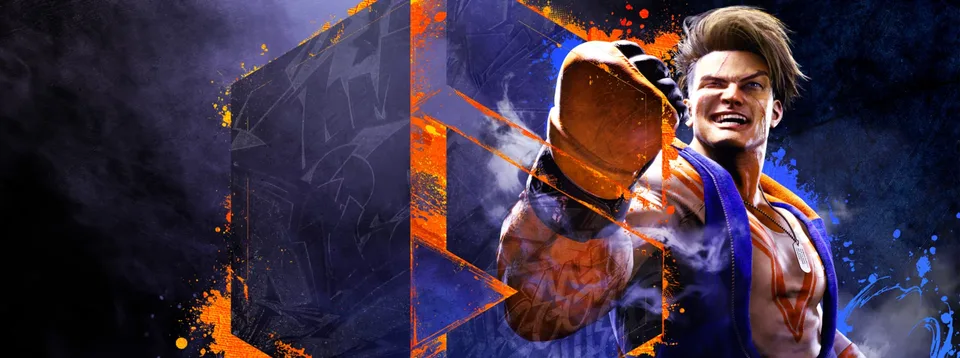
Street Fighter 6 Demo: Your Ultimate Guide to Getting Started
Download the Street Fighter 6 demo to experience World Tour and Fighting Ground. Discover how to create your avatar and carry progress to the full game.
Published: Street Fighter 6 Wiki Editorial Team
Video Guide
19 Minutes of Street Fighter 6 Demo Gameplay (Open World & Character Creation)Table of Contents
The fighting game genre has entered a bold new era, and there is no better way to test your mettle than by diving into the Street Fighter 6 demo. Whether you are a veteran of the series or a newcomer curious about the hype, this trial version offers a perfect entry point into the mechanics and style of Capcom’s latest masterpiece. Understanding how to utilize this demo effectively is crucial for players who want to hit the ground running when they decide to purchase the full game.
By jumping into the Street Fighter 6 demo today, you gain early access to essential character creation tools and foundational gameplay tutorials. This isn't just a simple tech test; it is a carefully curated introduction to the systems that define the modern fighting game experience. Here is everything you need to know to maximize your time on the streets.
Why the Demo Matters for New Players
The primary reason to download this trial is the opportunity to experiment with the game's robust avatar creation system without any financial commitment. Capcom has designed the demo to allow players to craft their own fighter, which serves as your persona in the immersive World Tour mode.
Not only does this save you time on launch day, but it also helps you understand the nuance of the new control schemes. Street Fighter 6 introduces different control types—Classic, Modern, and Dynamic—each tailored to different skill levels. Testing these in a low-stakes environment allows you to decide which control style suits your personal playstyle before you step into the competitive arena.
Key Features Comparison: Demo vs. Full Game
Feature
Demo Version
Full Version
World Tour
Early Story Chapters
Full Campaign
Fighting Ground
Selected Modes
All Modes
Battle Hub
Not Included
Fully Accessible
Online Play
Restricted
Fully Enabled
Avatar Data
Transferable
Importable
Navigating the Fighting Ground
The Fighting Ground is the heart of the traditional Street Fighter experience. In the demo, you are given access to specific modes that help you master the basics of combat. For those who feel intimidated by complex inputs, the Tutorial mode is your best friend. It breaks down the differences between the control types, ensuring you understand how to execute special moves and understand the game’s unique drive system.
Understanding Control Types
Classic: The traditional six-button layout, providing full control over every move in your character's arsenal.
Modern: A simplified control scheme using fewer buttons, ideal for players who want to focus on strategy rather than complex motion inputs.
Dynamic: An AI-assisted mode that helps players perform appropriate actions based on their distance to the opponent, perfect for casual local play.
Tip
Practice Makes Perfect
Spend time in the Training Room with both Ryu and Luke. Even if you plan on maining a different character later, understanding these two fundamentals will give you a solid grasp of the game's spacing and timing.
Mastering World Tour Avatar Creation
One of the most exciting aspects of the Street Fighter 6 demo is the deep character customization. You aren't just picking a fighter; you are building a legacy. The level of detail available in the avatar creator—from body proportions to facial features—is staggering.
Community reports suggest that players spend hours perfecting their look. Since your avatar can be transferred to the full game, take your time. Ensure you are happy with the aesthetic, as this character will represent you in the bustling streets of Metro City.
Step-by-Step: Transferring Your Avatar
Create your character: Spend time in the demo's editor to finalize your avatar's look.
Save your data: Ensure you do not delete your save file. The game requires this specific file to verify your progress.
Launch the full game: When you purchase the full version, use the same platform account to ensure compatibility.
Confirm transfer: The game will prompt you to import your avatar data from the demo save file.
Performance and System Requirements
Before you start your journey, ensure your PC meets the necessary specifications. Because the game utilizes a sophisticated engine, running it on hardware that falls below the minimum requirements can lead to frame rate drops during intense sequences.
Requirement
Minimum Specs
Recommended Specs
OS
Windows 10 (64-bit)
Windows 10 (64-bit)
CPU
Intel Core i5-7500 / Ryzen 3 1200
Intel Core i7-8700 / Ryzen 5 3600
Memory
8GB RAM
16GB RAM
GPU
GTX 1060 / Radeon RX 580
RTX 2070 / Radeon RX 5700 XT
Always ensure your GPU drivers are up to date, especially if you are using an AMD Radeon card, to avoid graphical anomalies. You can find the latest drivers on the official Capcom support page.
Common Mistakes to Avoid
Many players treat the demo as a speedrun. However, the true value lies in exploring the mechanics. A common error is skipping the tutorials. Even if you are a veteran, the new drive mechanics change the flow of combat significantly.
Another mistake is failing to link your CAPCOM ID. While not strictly required for the demo, setting up your CAPCOM ID early ensures that your transition to the full version—and the eventual online play—is seamless. Taking these small steps now prevents technical headaches later.
Frequently Asked Questions (FAQ)
Q: Does my progress in the World Tour mode carry over to the full game?
A: No, the story progress itself does not carry over. However, your custom avatar's appearance data will transfer, provided you play on the same platform.
Q: Can I play online in the Street Fighter 6 demo?
A: No, online features and the Battle Hub are disabled in the demo. It is strictly for offline practice and experiencing the beginning of the story.
Q: Is the demo available on all platforms?
A: Yes, the Street Fighter 6 demo is available on Steam, PlayStation 4, PlayStation 5, and Xbox Series X|S.
Q: Do I need to keep the demo installed after buying the full game?
A: Once you have successfully transferred your avatar data to the full version, you can safely uninstall the demo to free up disk space.